
The next generation of veterinary imaging
NewLumen brings advanced imaging into the cloud, delivering a faster, smarter, more connected experience from image capture to diagnosis.
Log in to NewLumenBuilt for what's next
For decades, Keystone has helped shape how veterinary imaging is captured, managed, and interpreted. But veterinary medicine has changed, technology has changed, and the way imaging needs to work has changed with it.
NewLumen is the next step.
Built from the ground up for the cloud, NewLumen brings modern infrastructure, advanced imaging, and smarter workflows together in a platform designed for where veterinary medicine is headed next.
The Platform
One workspace for the
entire reading workflow.
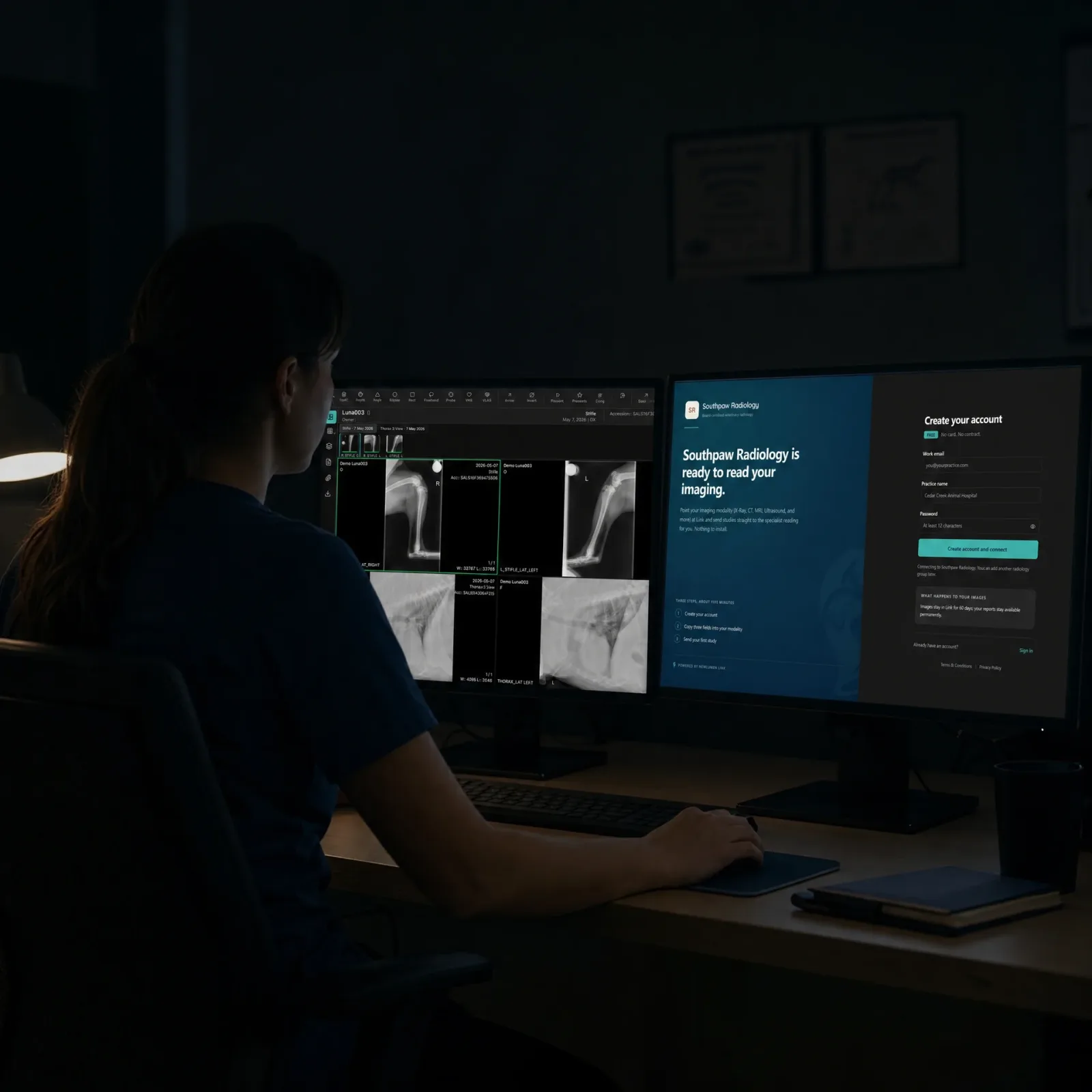
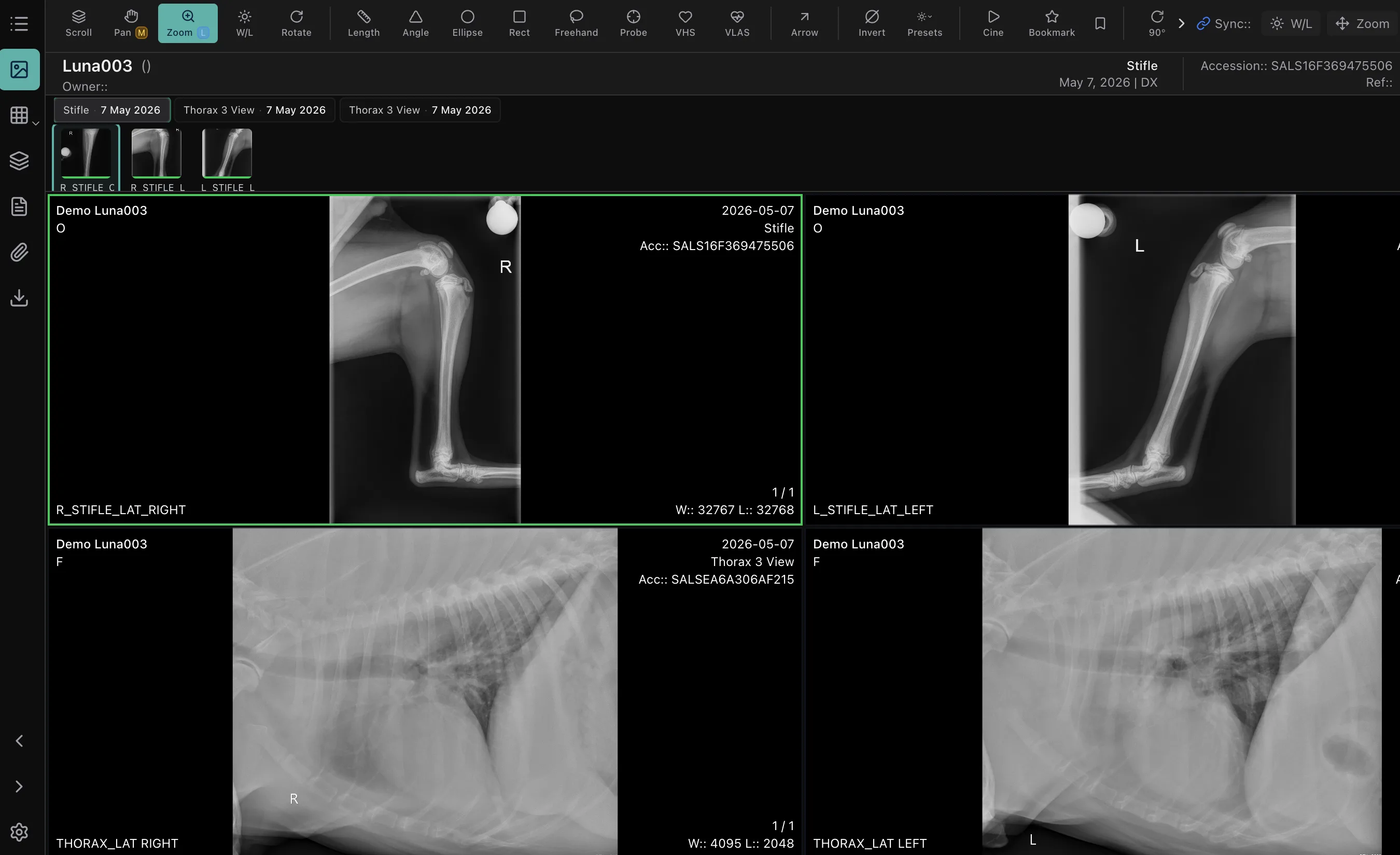
Workstation-grade reading in Chrome or Edge: no plugin, no install; studies that take minutes on a desktop PACS open in seconds.
Species-aware from study open: vet-native hanging protocols apply automatically, even with inconsistent DICOM tags, and priors surface without searching.
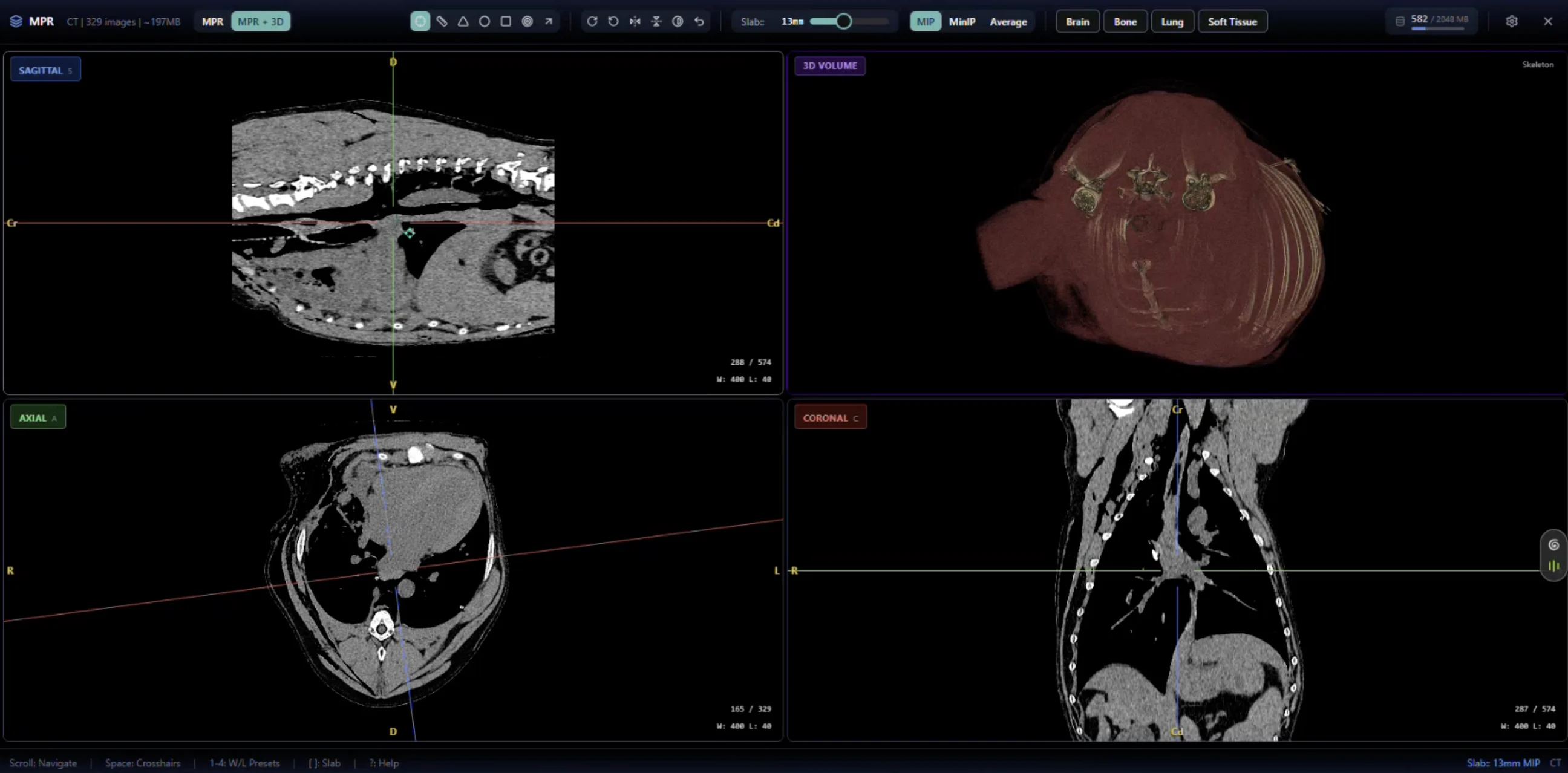
MPR and 3D as first-class modes: one click from the layout switcher, reconstructions in under three seconds, rotate 3D right in the browser.
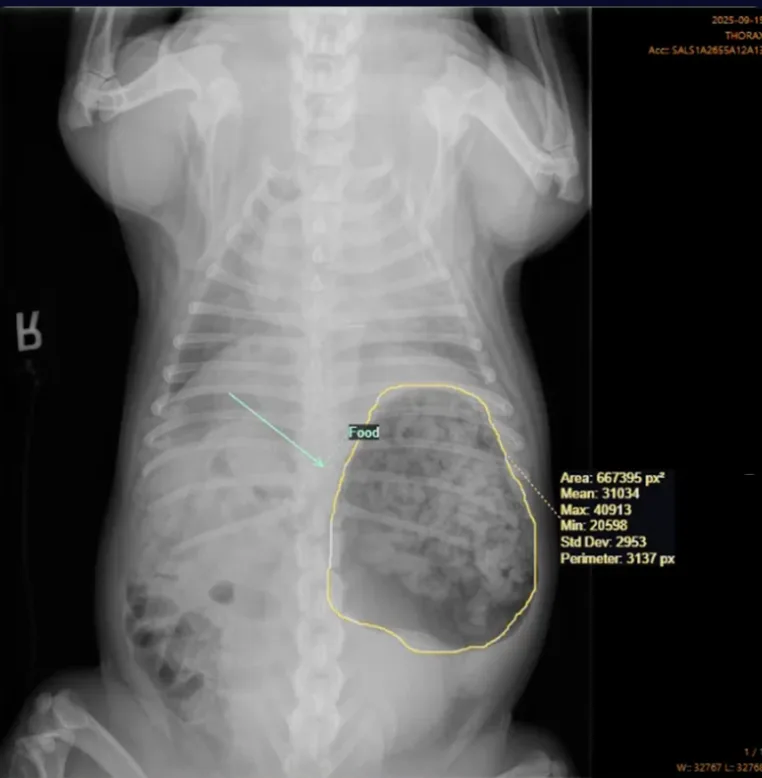
Full reading-room toolset: multi-monitor, synchronized viewports, measurement and annotation suite, cine playback, and echo cineloop.
What NewLumen is
When the platform moves faster, so does treatment.
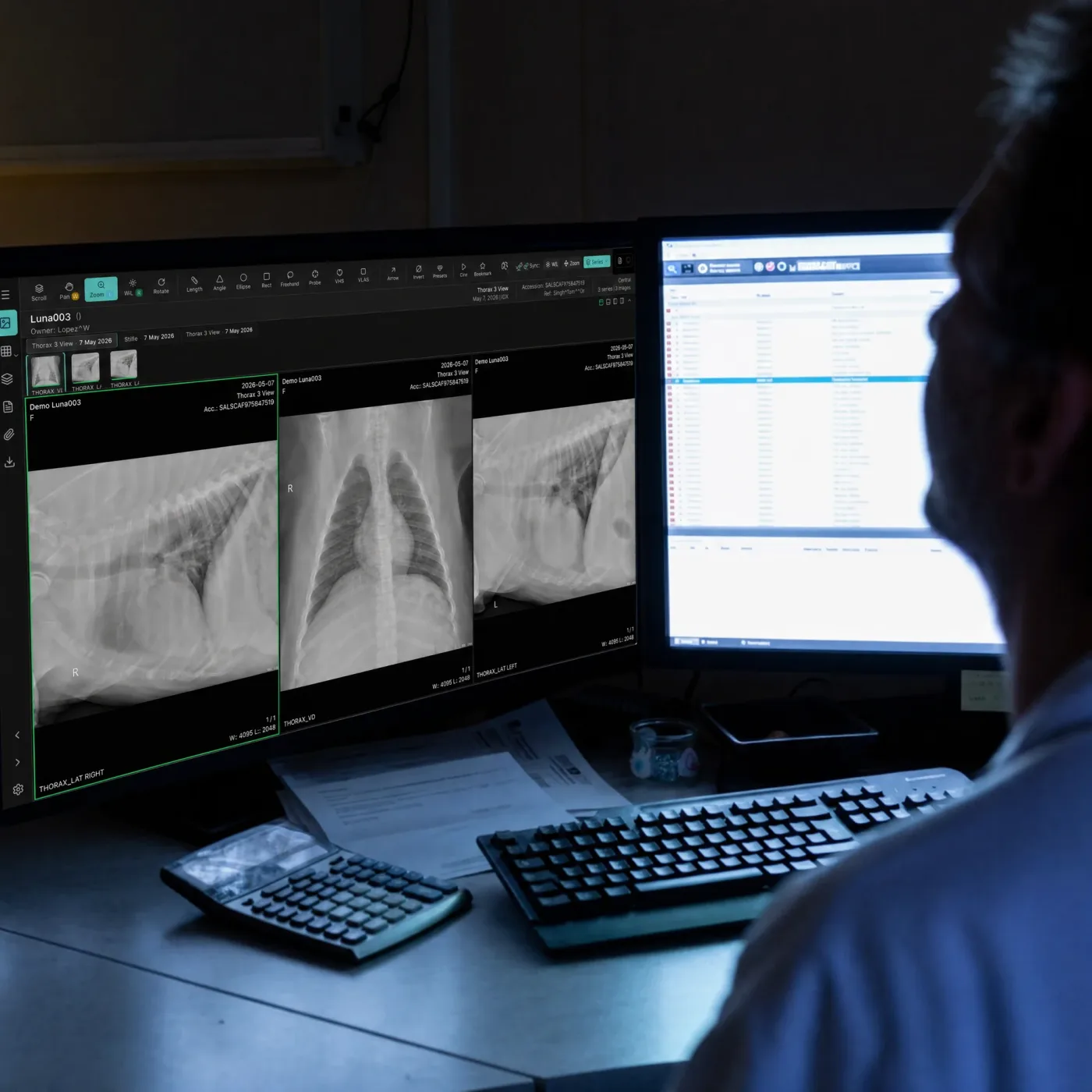
The cloud-native imaging platform connecting every veterinary practice, radiologist, and specialist from capture to diagnosis. Studies open in the browser in seconds with species-tagged protocols already applied, and signed reports route back to the referring practice automatically.
See how the reading workflow runs1,385-image CT thorax with protocol
Installs required to read
MPR switch on a full CT
Solutions
Built around the way
your team works.
Under 5 seconds to open a 1,385-image CT: hanging protocol already applied.
The full toolset in Chrome or Edge: no workstation, no VPN, no install.
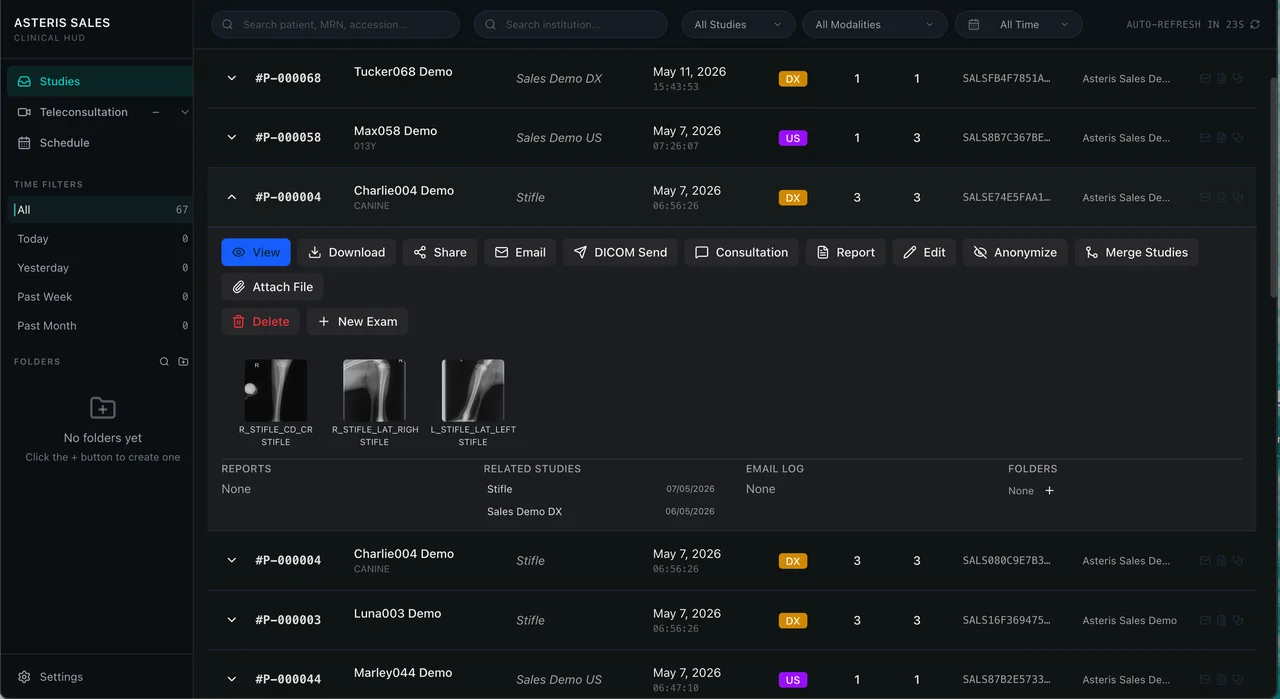
One login, one viewer, one signed report: every clinic in one queue, and signing means it's delivered.
The queue manages itself: species-tagged layouts, urgent cases surface first, priors sit beside the new study.
What it does
Built for the modern read.
Deployment
Send straight to the cloud, or keep a copy on site.
Cloud architecture is what makes specialist-grade viewing on any device possible. It does not have to mean giving up local performance or local access. Both deployment options are available, and heavy cross-sectional workloads often run best with an edge node in place.
Fully cloud
Modalities send straight to the cloud. No local server, nothing to maintain on site.
- Reading happens in the browser on any device, including Mac, iPad and tablets
- New sites come online without hardware
- Nothing to patch, back up or replace at the practice
Edge node
A lightweight local install that caches studies on your own network, then spools everything to the cloud in the background.
- Images are viewable locally in sub-seconds as they stream in
- Local access continues through an internet or power outage
- One Windows machine serves the whole practice; every other machine stays as it is
The edge node runs on Windows. Every other machine in the practice, including Macs, reads in the browser.
Workflow
One platform. Endless ways to read.
Software, not a service: bring your own radiologists, keep your own routing rules and billing. NewLumen is the platform, not a shared reading pool.
One login, every client clinic: all cases in a single worklist with five views, no switching accounts between clients.
Routing on your terms: Static assignment or Algorithmic distribution by priority and modality, with Priority Triage flagging urgent studies and manual reassignment anytime.
Billing built into the worklist: per-report codes roll up by sign date across every clinic, exported as one CSV.
Security and access
Built to clear IT review before it reaches the room.
IT and security are rarely in the room when imaging software is chosen, and always consulted before it is signed. NewLumen is built so that conversation is short.
- Single sign-on with your existing identity provider
- SAML and SCIM for provisioning and deprovisioning
- Multi-factor authentication
- Enterprise security reviews completed on request
FAQ
Frequently asked questions.
Can NewLumen be our practice's PACS if we do not do teleradiology?+
Yes. NewLumen is a full veterinary DICOM platform: image management and archive, viewing with MPR and 3D, scheduling, reporting and teleconsultation, all in the browser. Specialty and referral practices doing cross-sectional work run it as their PACS, with an edge node on site if they want local caching. Teleradiology is one workflow it supports, not the only one.
How do our modalities send studies to NewLumen?+
By DICOM, as they would to any PACS. Point the modality at NewLumen directly for a fully cloud deployment, or at the edge node on your network, which caches locally and spools to the cloud in the background. Modality worklist is supported, so studies are created against the scheduled patient.
Can our own clinicians and radiologists report inside NewLumen?+
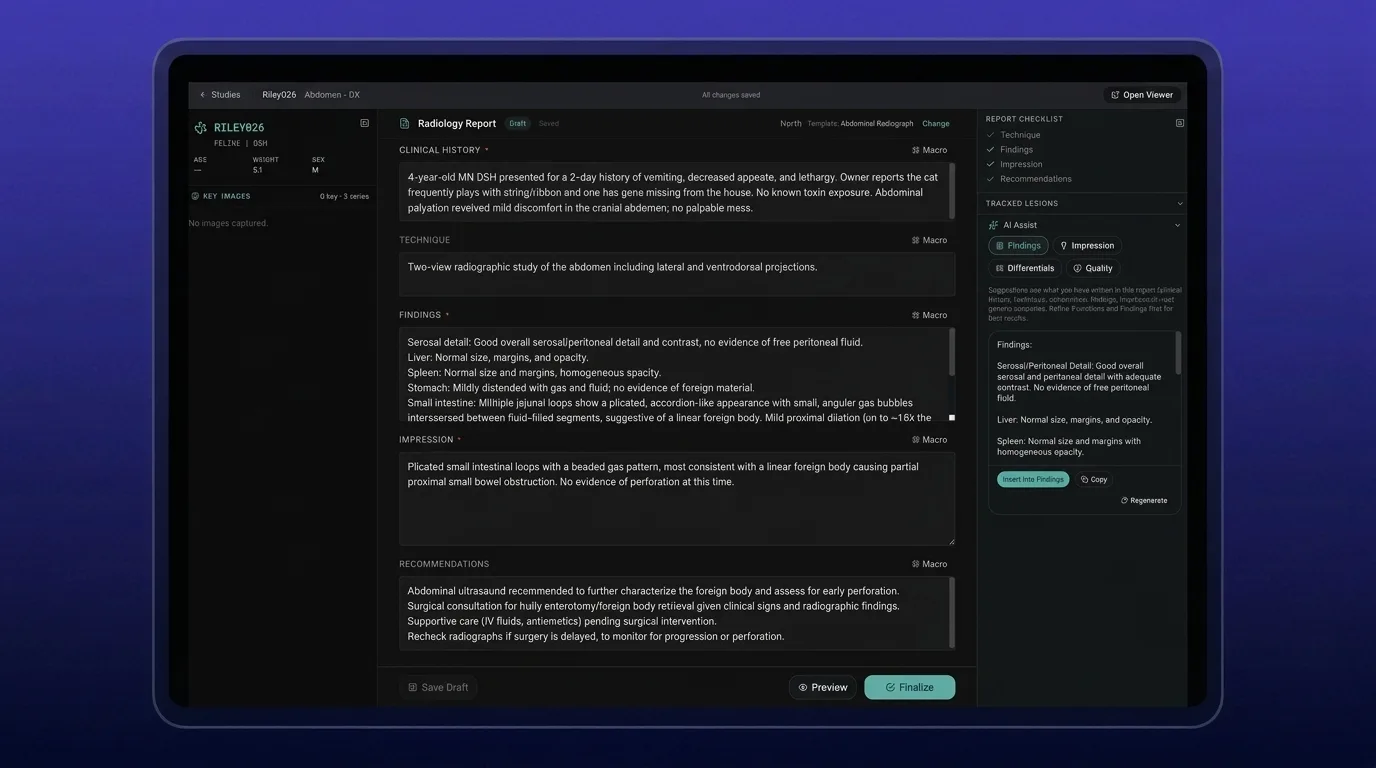
Yes. Reports are written against the open study with species-specific templates, signed in NewLumen, and delivered by email, as a PDF, and to connected practice management systems. Supervised resident reporting is supported: the resident's draft sits beside the attending's and never promotes to final.
How is NewLumen priced?+
Pay per case. Rates are set per modality with study size tiers and volume bands, monthly by default and annual available, and groups can consolidate member clinics under a single volume tier. That applies whether NewLumen is your practice's PACS or your teleradiology reading platform. Nothing is charged until a report is finalised, so evaluation and testing carry no cost, and you are only paying for cases you are already charging your clients for, so the cost builds into your fee and can be recouped or marked up. Practices moving from Keystone keep their existing pricing.
What is the maximum study size the viewer can handle?+
A 1,385-image canine CT thorax loads with the hanging protocol applied in under five seconds. Performance depends on internet connection speed and device.
Does NewLumen support MPR in the browser without a plugin?+
Yes. MPR is a native layout mode built on Cornerstone3D. No plugin, no desktop application, no VPN. MPR renders in under three seconds for standard CT series.
How does the 3D viewer work?+
3D volume rendering is accessible from the layout switcher. Rotate the volume in the browser viewport. It's a first-class mode, not an external tool.
Can multiple radiologists share one account?+
Yes. NewLumen supports group reading accounts with individual logins, separate queues, and shared group views across all connected clinics.
How does routing work across clinics?+
Algorithmic mode distributes cases by priority, modality, and assignment, configured with the NewLumen team at setup. Manual assignment and reassignment are available at any time.
What if our IT team will not approve a cloud platform?+
Run an edge node. It is a lightweight Windows install that caches studies on your own network, so images are viewable locally in sub-seconds while everything spools to the cloud in the background, and local access continues through an internet or power outage. One Windows machine serves the whole practice. We recommend involving IT early on any DICOM workflow.
Does NewLumen work on Mac?+
Yes. It is cloud based and runs in any modern browser, including on Mac, iPad and iOS. Where an edge node is used, one Windows machine serves the whole practice and every other machine stays as it is.
Do I need to install anything at each clinic location?+
No installation is required to read. NewLumen's viewer runs entirely in the browser, and studies from a connected modality go straight to the cloud. For high-volume sites where local network speed matters, an edge node is available to cache recent studies on site for sub-second local reads. Cloud storage remains the primary archive either way.
Can radiologists read from any location?+
Yes. The viewer runs in a browser. A radiologist at your referral centre can read studies submitted at any satellite location without a VPN or special setup.
Does billing work across multiple clinics?+
Yes. The billing rollup is sign-date-accurate and covers every connected clinic. One CSV export per period is sufficient for invoicing.
Can a large network with multiple sites use one NewLumen account?+
Yes. Every site shares a single account, with studies tagged to their institution and the worklist searchable and filterable by site.
Do all readers see the same hanging protocols and templates?+
Yes. Five species-tagged hanging protocols and vet-native macros ship out of the box, so every reader across every site opens the same layout and reports from the same structure.
Migration FAQ
Coming from Keystone?
Most of the radiologists landing on this page read for a Keystone-equipped clinic today. This block answers the questions they show up with.
What happens to our historical Keystone studies?+
Your Keystone archive remains accessible during transition. NewLumen reads standard DICOM, so your priors continue to display the way they always did. New reads happen in NewLumen while the archive stays available for as long as you need it.
How long does migration take?+
Most practices move active reads within 30 days. There is no hard cutover deadline; the Keystone archive can stay live while your clinical team adopts NewLumen at its own pace.
Do our hanging protocols carry over?+
The logic carries over. NewLumen ships species-aware protocols out of the box, including Canine Chest 3-View, Canine Abdomen, Canine Orthopedic, Feline Chest 3-View, and Feline Thorax + Abdomen. Custom protocols can be built on top during onboarding.
Who handles the cutover?+
Sales engineering owns the install. You designate a clinical lead and an IT contact; we handle the rest, including the DICOM routing changes and the workspace setup.
Let's discuss your imaging workflow
Every organization has different requirements. Speak with our team about your current workflow, operational challenges, and goals.