Veterinary imaging reporting software is the part of an imaging system where a radiologist or vet turns a study into a signed report: a template matched to the study, standard wording that does not have to be retyped, key images with captions, a sign-off step, and a PDF that reaches the referring vet and the patient record. A good one is judged by two things. How long a routine report takes to write, and whether the finished report reads the same way every time, whoever wrote it.
This guide sets out what that software should do, using NewLumen, the cloud imaging platform from Asteris, as the worked example because its reporting tools sit in the same browser tab as the images.
Where reporting software sits
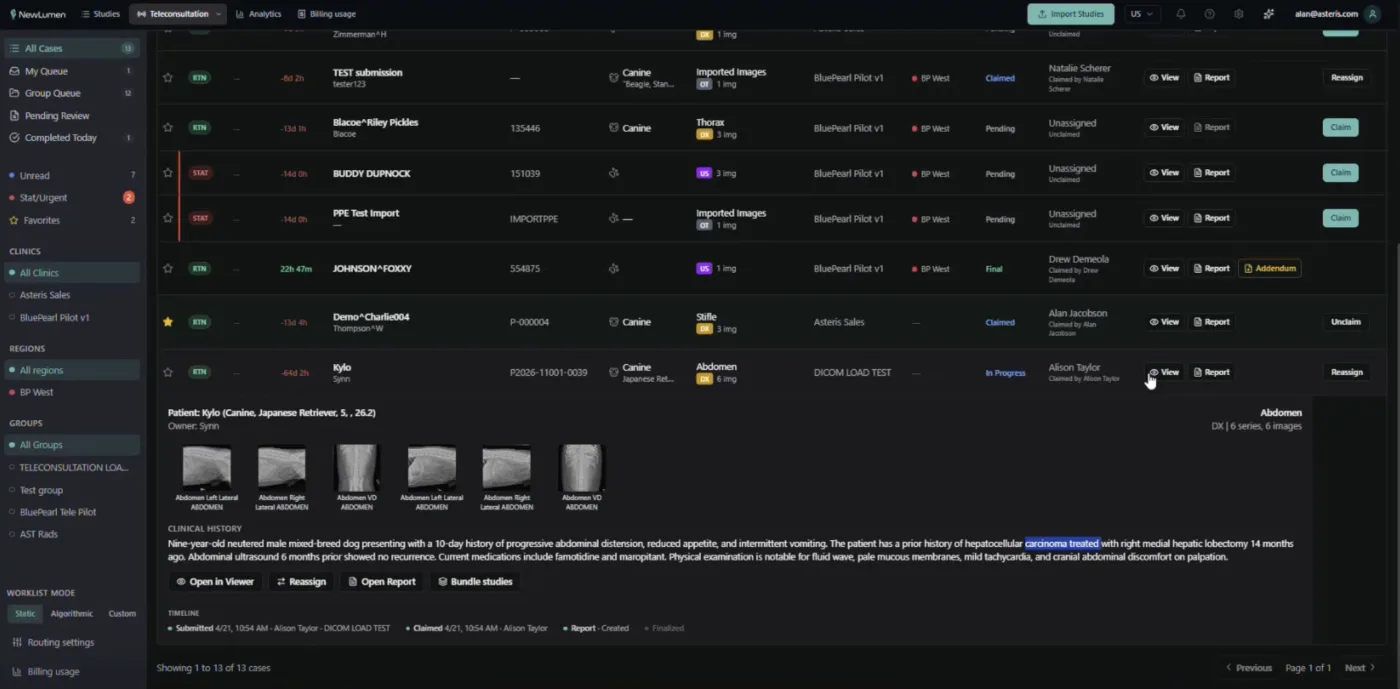
Most practices meet reporting in one of three places. A PACS with a report editor built in, where the vet reads and reports in one window. A dictation or word-processing workflow outside the PACS, where text is written somewhere else and attached later. Or a teleradiology service, where an outside radiologist reports and the practice receives a PDF.
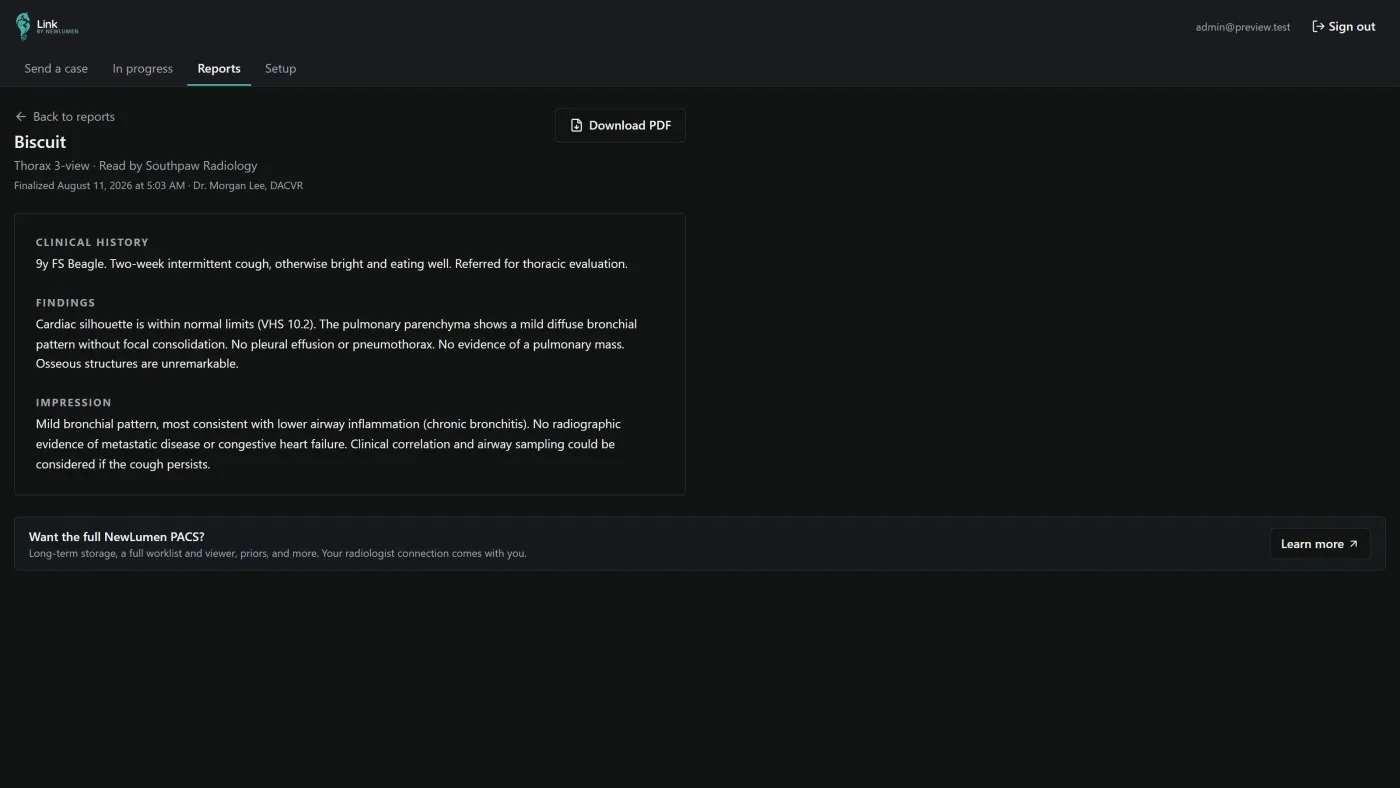
The first is the only one where the report knows which images it describes, which earlier reports exist for the patient, and where the signed PDF should go. NewLumen works that way, and still accepts the other two: a practice that uses an outside teleradiology provider can attach the provider's PDF to the study with Attach File so it is stored with the images.
What a veterinary report template should contain
A structured report separates what was seen from what it means. The sections most veterinary radiologists use:
- Clinical history: the question the referring vet asked.
- Technique: views, sequences and any limits on image quality.
- Comparison: which prior studies were reviewed.
- Findings: what is on the images, system by system.
- Impression: the conclusion, ranked by importance.
- Recommendations: further imaging, sampling or follow-up.
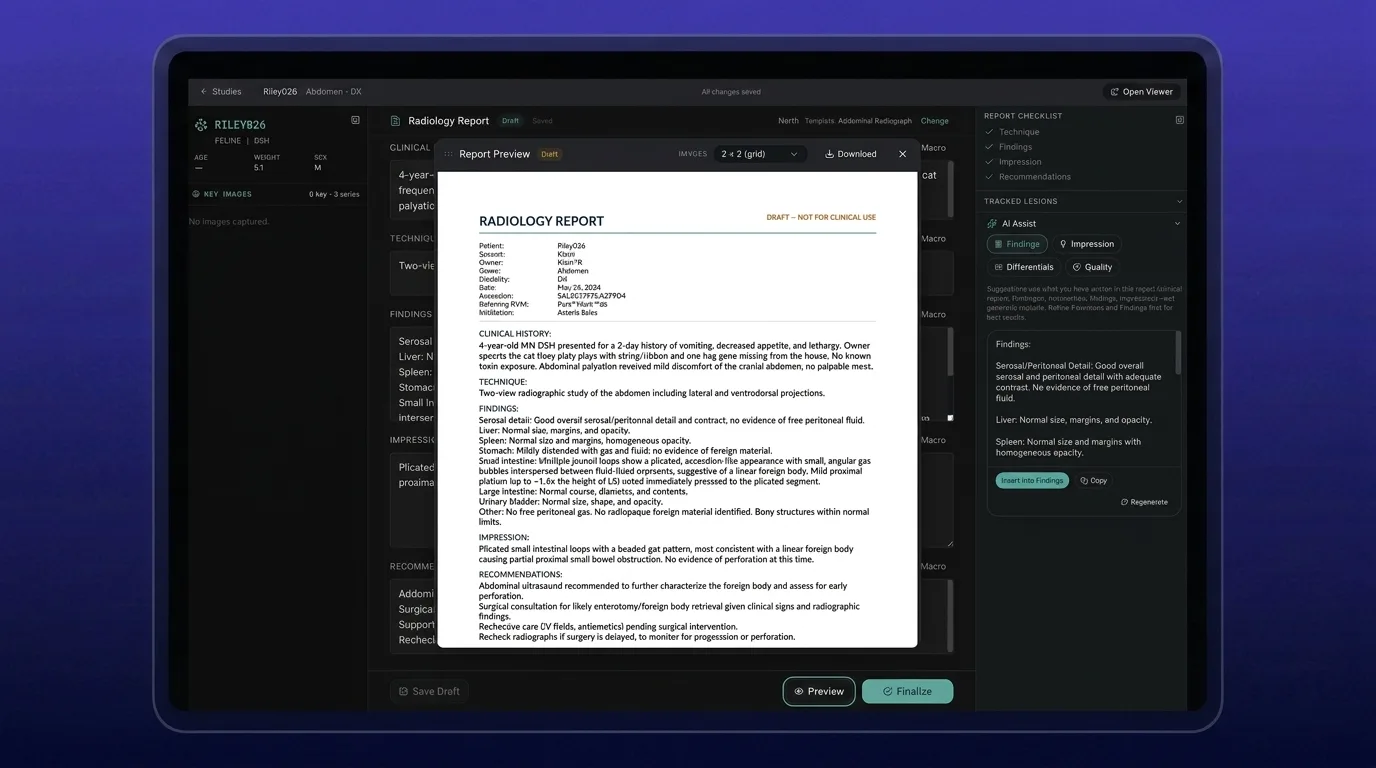
The template should recommend itself. In NewLumen, the template that best matches the study's modality, species and body area is marked Recommended, and required sections (by default clinical history, findings and impression) carry a red asterisk and an amber border until they are filled. Starter templates exist for radiographs, CT, MRI, echocardiography and orthopaedics. Any section label can be renamed, so a practice that writes "Conclusions" rather than "Impression" sees its own word in the editor and on the signed PDF. Templates can be personal or shared across the clinic, and Asteris will build one from an example a practice sends in.
Standard wording without retyping it
Most of a normal report is the same sentences every time. Reporting software should store them once.
- Macros expand a short trigger into a full phrase. Typing "nsr" and pressing Tab gives "No significant radiographic abnormalities identified." A "norm-thorax" macro can fill a normal cardiac silhouette, vasculature, lungs and pleural space in one go. Macros work well in the Technique field too, for sequences, kernels or image-quality caveats.
- Presets save a whole normal report, or single fields, to drop into later reports. A preset only fills empty fields and never overwrites text already written, which is the property that makes it safe to use on a busy list.
- Prior reports for the same patient are listed by date in the editor, so wording from last year's study can be read and copied rather than remembered.
Key images belong in the report
A referring vet reads the impression, then looks for the picture. In NewLumen the reader annotates an image in the viewer (an arrow, an outline, a measurement) and presses Ctrl+Shift+C, or clicks Capture, to add that image with its annotations to the report. Each image takes a caption, prints in capture order, and stays on the same page as its caption, in one large column or a 2 × 2 grid.
Two measurement tools feed straight into reports. On thoracic radiographs, VHS and VLAS tools prompt each click on screen. For follow-up cases, the Tracked lesions panel records a named finding at each study and shows its size over time, so the report can say a nodule is stable or growing with the measurements behind it.
Sign-off that holds up later
The point at which a report is finalised is where reporting software earns trust.
- A quality check before signing. NewLumen flags empty required sections and very short findings when the reader clicks Finalise, then shows the PDF before Confirm & Sign.
- Clear statuses. Draft, Preliminary (submitted for senior review), Final and Amended. A resident's report goes in as Preliminary and moves to Pending Review for a senior radiologist to finalise.
- Signed means fixed. A signed report keeps the design it was signed with, so downloading it months later gives the same document. Changes go in as an amendment rather than an edit to the signed text.
- Delivery without exporting. The signed report can be emailed from the study, downloaded as a PDF, and, with a practice management integration, attached to the patient record automatically.
The PDF the client actually sees
The report leaves the building as a PDF, so its design matters as much as its text. Clinic admins in NewLumen set the layout under Report design, with a live preview: Classic, Minimal or Compact starting points, logo size and position, Letter or A4, colours, which patient fields print, signature image, credentials and a footer disclaimer. A teleradiology group can keep several designs and choose one per referring clinic, so each practice receives reports in its own house style.
Dictation
Some readers type, many prefer to speak. NewLumen has built-in veterinary speech-to-text in beta, currently in English, which the practice asks Asteris to switch on; saying "tab" moves to the next field. Dictation software such as Dragon also works in the editor, and browser tools such as Grammarly work for spelling, since the editor has no spelling checker of its own.
Questions to ask on a demo
- Does the software recommend a template for the study, and can we rename sections and share templates across the clinic?
- Can we store macros and whole normal reports, and will a saved normal ever overwrite text already written?
- How do key images get into the report, and do their annotations and captions come with them?
- What happens at sign-off: is there a check for empty sections, and can a signed report change afterwards?
- Can residents submit preliminary reports for senior review?
- Where does the signed report go: email, PDF, the patient record?
- Can we control the PDF design, and can a reading group use a different design for each clinic?
Frequently Asked Questions
What is veterinary imaging reporting software?
Software that turns an imaging study into a signed report: templates matched to the study, standard wording through macros, key images with captions, a sign-off step and a PDF delivered to the referring vet and the patient record. In NewLumen it sits beside the images in the browser.
What should a veterinary radiology report template include?
Clinical history, technique, comparison with prior studies, findings, impression and recommendations. Good software marks the required sections, recommends the template that matches the study's modality, species and body area, and lets a practice rename sections to its own wording.
Can a signed veterinary radiology report be changed?
It should not be edited silently. In NewLumen a signed report keeps the design and content it was signed with, and changes are recorded as an amended report, so a PDF downloaded months later matches what was originally sent.
Does reporting software work with dictation?
Yes. NewLumen has built-in veterinary speech-to-text in beta, currently in English, and also works alongside dictation software such as Dragon.
Can we use reporting software if an outside radiologist reports our studies?
Yes. Attach the teleradiology provider's PDF to the study so it is stored with the images, or have the radiology group report inside NewLumen so the signed report comes back to the case directly.
See the reporting tools on your own studies: talk to the team, or read more about how veterinary teleradiology works.