

 North America
 Asia/Pacific
 Europe
 Back to Blog


A veterinary PACS is the system your clinic uses to capture, store, retrieve, view, and share imaging studies (DR/CR, ultrasound, CT, MRI, dental, endoscopy). In 2026, the best PACS setups prioritize fast viewing, reliable sharing, security, and integration with your modalities and workflow.
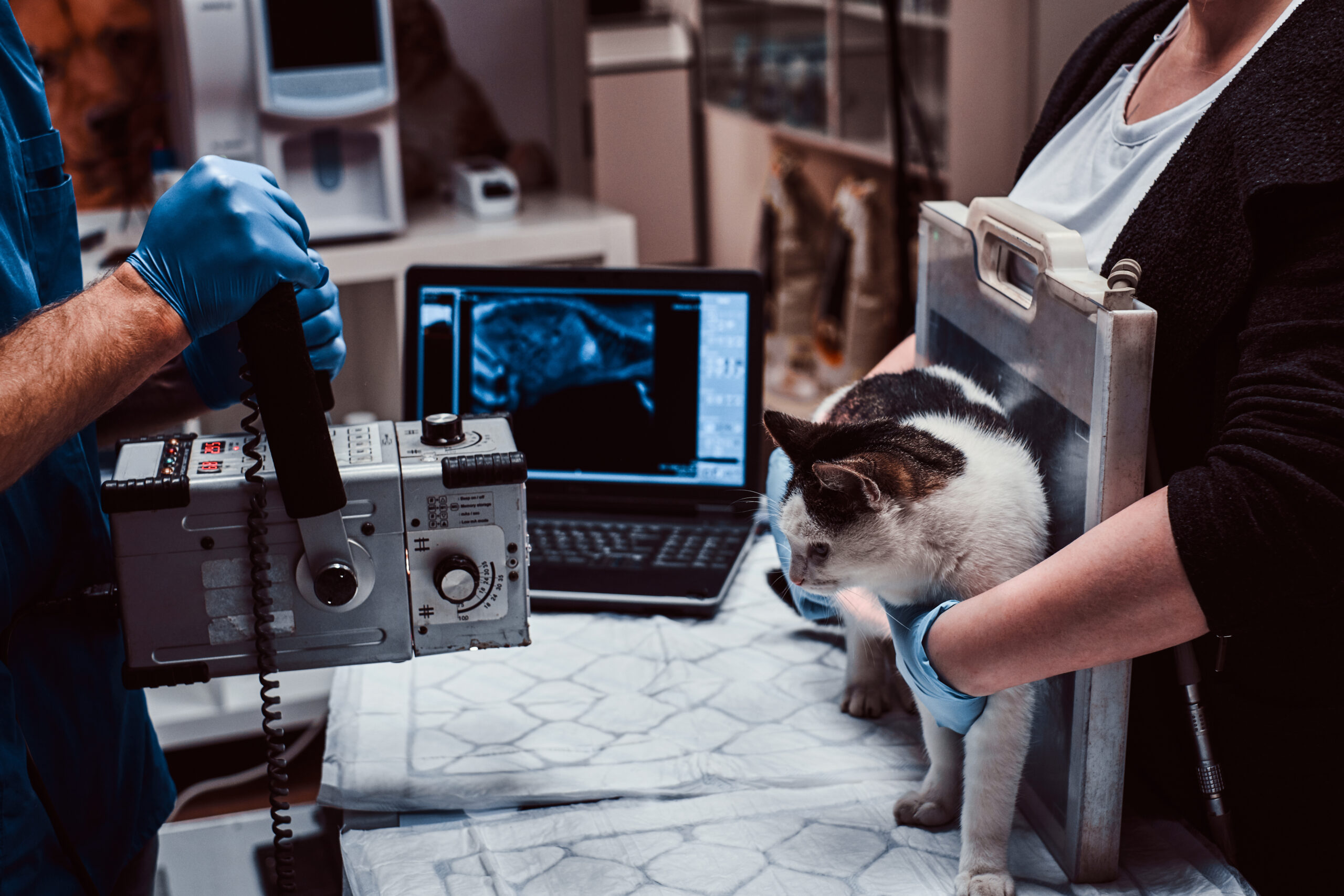
What is a veterinary PACS?
Definition: A veterinary PACS (Picture Archiving and Communication System) is imaging software that manages studies end-to-end—from acquisition (modality) to archive (storage) to viewing and sharing (internal and external).
In plain terms: PACS is your imaging “source of truth,” so images are available quickly, consistently, and securely when decisions are on the line.
Clinics typically use PACS to:
- Store imaging studies in a structured archive (often DICOM-based)
- Provide fast viewing tools for clinicians (measurement, annotations, series navigation)
- Share studies with specialists, referrals, owners, or sales teams (secure links / permissions)
- Keep an audit trail for accountability and security

How a veterinary PACS works (clinic workflow)
Most PACS workflows follow the same pattern. Here’s the simplest “it actually works in a clinic” version:
- Capture: Images are created on a modality (DR/CR, ultrasound, CT, MRI, dental, etc.).
- Send: The modality sends the study to PACS (commonly via DICOM).
- Archive: PACS stores and indexes the study (patient, date, modality, series).
- View: Clinicians open the study in a web viewer or workstation viewer.
- Compare: Priors and series are reviewed for changes over time.
- Share: Secure sharing is enabled for referrals, specialists, owners, or sales workflows.
- Retrieve later: Historical comparisons become fast and reliable (no hunting).
Tip: If your clinic feels “slow,” it’s usually not the modality—it’s a breakdown in send → archive → view → share.
Veterinary PACS vs “imaging software” vs teleradiology (what’s the difference?)
These terms get mixed together, but they’re not the same:
- PACS: Your imaging archive + viewer + sharing system (the core infrastructure).
- Veterinary imaging software: A broad term—could mean PACS, viewer-only tools, or workflow tools.
- Teleradiology: A service/workflow for sending studies to external radiologists for reads (often integrates with PACS).
Rule of thumb: If you can’t reliably store, retrieve, and share images, teleradiology becomes painful—PACS should be solid first.
Want a PACS checklist you can use this week?
Use a demo-ready checklist covering features, integrations, security, and workflow questions.
What to look for in a veterinary PACS (2026 checklist)
Use this list to evaluate systems quickly. The best PACS fits your clinic’s workflow and your long-term growth.
1) Viewing speed and usability
- Fast load times for large studies (CT/MRI series)
- Clinical tools: measurement, annotations, window/level, cine, comparisons
- Works on the devices your team actually uses (desktop + tablet where relevant)
2) Reliable image sharing
- Secure external sharing (links, permissions, expirations)
- Owner-friendly viewing (simple, no “install this weird thing”)
- Audit logs: who accessed what, when
3) Modality compatibility
- Strong DICOM support (send/receive, structured studies)
- Supports your modalities: DR/CR, ultrasound, CT, MRI, dental, endoscopy
- Clear process for adding new devices as you expand
4) Integrations and workflow fit
- Connects cleanly to your practice workflow (orders, patient context, naming standards)
- Supports multi-site workflows if you operate that way
- Easy export if you ever need to move (avoid vendor lock-in)
5) Security and permissions
- Role-based access control
- Encryption in transit and at rest (ask your vendor how this works)
- SSO support if your organization needs it
6) Storage and retention strategy
- Scales with growth (especially if you’re doing CT/MRI)
- Clear retention policies and backup strategy
- Transparent pricing for storage expansion
Cloud veterinary PACS vs on-prem (which is better?)
Cloud veterinary PACS usually wins for clinics that want simpler scaling, remote access, and fewer server headaches. On-prem can make sense if you have strict internal IT policies or unique network constraints.
Ask these questions:
- What happens if internet is slow or down?
- How are backups handled, and how quickly can data be restored?
- How is performance maintained for large studies?
- Can we export everything easily if needed?

Integrations: what to validate before you commit
Integrations are where PACS either becomes a seamless workflow tool—or a daily frustration. Validate these areas in demos:
- Modalities: DR/CR, ultrasound, CT/MRI, dental, endoscopy (DICOM where applicable)
- DICOM routing: Send rules by modality, location, or case type
- Patient context: Naming standards and matching so studies don’t duplicate or misfile
- Sharing workflows: How referrals, specialists, owners, and sales workflows are handled
- Export strategy: How you retrieve full studies + metadata if you ever migrate
Demo tip: Ask vendors to run a real case end-to-end: ingest → retrieve priors → compare → share securely.
Pricing: what drives veterinary PACS costs?
PACS pricing varies widely. Costs typically depend on:
- Number of users / sites (single clinic vs multi-site)
- Storage volume (especially high with CT/MRI)
- Integrations (modalities, routing, teleradiology handoffs)
- Implementation (migration, training, configuration)
- Support level (response time, managed services)
Best practice: Evaluate pricing alongside workflow outcomes: faster access, fewer lost studies, easier sharing, and better follow-up consistency.
Implementation: a 7-step veterinary PACS rollout plan
- Inventory: List modalities, locations, current storage, and key workflows.
- Define naming standards: Patient/study naming conventions to reduce chaos.
- Connect modalities: Validate DICOM send/receive for each device.
- Set permissions: Roles, access policies, external sharing rules.
- Migrate (if needed): Move old studies in a controlled, test-first approach.
- Train by role: Doctors, techs, front office (sharing workflows differ).
- Go-live + QC: Daily checks for 2 weeks: missing studies, wrong patient mapping, sharing errors.
Copy/paste PACS evaluation checklist (use this in demos)
- ✅ Can we view CT/MRI quickly without timeouts?
- ✅ Can we share studies externally with permissions + expiration?
- ✅ Is DICOM connectivity proven with our modalities?
- ✅ Can we support multi-site workflows (if relevant)?
- ✅ Do we have audit logs and role-based access?
- ✅ Can we export all images and metadata if needed?
- ✅ What does storage cost at 1TB, 5TB, 10TB?
- ✅ What does implementation include (migration, training, configuration)?
- ✅ What does support look like (response times, escalation)?
CTA: Want a printable version? Request a PACS evaluation checklist or book a walkthrough.
Common mistakes clinics make with PACS
- Choosing viewer-only tools that don’t solve storage + retrieval + sharing.
- Skipping modality validation (DICOM “should work” is not a plan).
- No naming standards → studies go missing or attach to wrong patients.
- Ignoring sharing workflows until referral partners complain.
- Underestimating storage growth (CT/MRI expands fast).
FAQ
Do I need a veterinary PACS if I only do X-rays and ultrasound?
If you’re capturing imaging studies routinely, PACS prevents images from becoming scattered across devices, emails, or local drives—and makes sharing consistent. It also improves follow-up and historical comparisons.
What is DICOM and why does it matter in veterinary imaging?
DICOM is the standard format and transfer method used for medical imaging. Strong DICOM support usually means fewer device compatibility issues and a more reliable archive.
How do I share radiographs securely with referrals or owners?
Look for share links with permissions, expiration options, and audit logs. Avoid workflows that rely on emailing files or using untracked file-sharing tools.
What’s the difference between PACS and teleradiology?
PACS is your imaging system; teleradiology is a service/workflow for external reads. PACS should support clean sending, tracking, and storing of those reads and images.
How long does a PACS implementation take?
Many clinics can go live quickly for new studies, but migrations and multi-modality configurations add time. The biggest variable is validating modality connectivity and migrating older archives safely.
Can we switch PACS later without losing images?
You should be able to export your images and associated data. Ask vendors early about export options and what the process looks like before you sign.
Next steps
If you’re evaluating a veterinary PACS in 2026, start by validating your workflow: capture → archive → view → share. Then confirm modality compatibility and sharing requirements before you compare pricing.
Book a demo: Schedule a workflow walkthrough
Talk to us: Ask an integration question